










Introduction
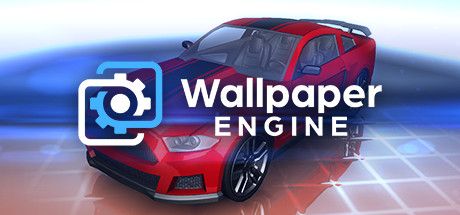
Wallpaper Engine is the rare Steam product that people leave running all day without ever pressing play. Created by Kristjan Skutta, it is a utility that replaces your static desktop background with animated, interactive and audio-reactive scenes, and it is currently active on about 101,457 PCs at once, adding up to 51.6 million hours every month.
That number tells you something: this is software people genuinely live with. Whether you want a quiet rainy window, a looping anime scene, a slowly drifting galaxy or a visualizer that pulses with your music, Wallpaper Engine makes your desktop feel like a personal space instead of a default screen. It is also quietly a creative platform, thanks to a built-in editor and an enormous Steam Workshop library.
Gameplay Mechanics
The heart of the experience is the Steam Workshop integration. Inside the app you can browse millions of community-made wallpapers covering anime, nature, cityscapes, game scenes, abstract art and cozy weather effects like rain on glass. Subscribing to one downloads it instantly, and applying it takes a single click. Filters for resolution, type, rating and content make it easy to narrow down the flood of options.
Wallpapers come in several forms. Video wallpapers loop a clip, scene wallpapers use layered effects and particles that can react to your mouse, and web-based wallpapers can show clocks, system information or audio visualizers that respond to whatever you are listening to. Many creators also include adjustable settings so you can tweak colors, speed or effects.
For organizers, playlists and schedules let your desktop change through the day, and multi-monitor setups can run different wallpapers on each screen or stretch one across all of them. If nothing fits, the editor lets you build your own from images, video and effects, then share it with the Workshop.
How to Play
After installing from Steam, run through the quick setup that asks about your hardware and preferred quality. Choose a reasonable frame rate and quality preset rather than maxing everything out, since a wallpaper should never compete with the apps you actually use.
Before you commit to a long session of Game, clear the onboarding properly. Finish the tutorial or first mission without skipping dialogue that teaches a mechanic, then open settings and lock a stable frame rate. Remap awkward binds early — especially interact, sprint, inventory, and voice-chat push-to-talk if the game loop depends on them.
Your first two hours should prove one core loop, not every system at once. Treat this as the north star: After installing from Steam, run through the quick setup that asks about your hardware and preferred quality. Choose a reasonable frame rate and quality preset rather than maxing everything out, since a wallpaper should never compete with the apps you actually use. Park secondary crafts, cosmetics, and side modes until that loop feels automatic. Most early rage-quits happen because players open five menus before they understand one.
When you stall, change a single variable and retry: loadout, route, difficulty, teammate role, or economy timing. Watch one short clip only for positioning or UI cues, then close it and practice. Screenshot useful maps/menus into a folder so you are not alt-tabbing every death.
End each session with a three-line note — what killed you, what resource you lacked, and the first experiment for next time. That habit turns Game from “too much info” into a climb you can feel week to week, whether you play solo or with friends.
Pros & Cons
- ✅ Millions of wallpapers
- ✅ Workshop + editor
- ✅ Cheap forever
- ❌ Uses some GPU
- ❌ Addictive browsing
Conclusion
Wallpaper Engine is one of the easiest recommendations on Steam. It costs a few dollars, lasts forever and makes a computer you stare at for hours feel noticeably more yours. It does use some GPU, and browsing the Workshop is dangerously addictive, but both are easy to manage.
It suits anyone who spends long days at a PC, from gamers to designers. Pick it up on Steam.