






Introduction
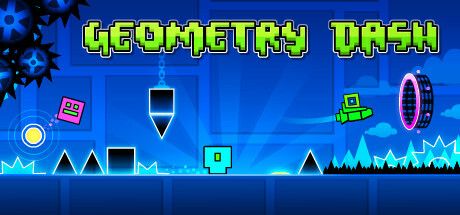
Geometry Dash is one of those games that looks deceptively simple in a screenshot and then takes over your life. Created by RobTop Games, it is a rhythm platformer legend where you jump, fly and flip through gauntlets of spikes, all perfectly synchronized with pounding electronic tracks.
The appeal is a potent mix of music, precision and stubbornness. Every level is a choreographed obstacle course, and every death sends you right back to the start with a single tap. That loop of failing, learning and pushing a little further produces a powerful one-more-try feeling, and its affordable price and massive community library keep players coming back years after they first picked it up.
Gameplay Mechanics
The entire game runs on one button, but what that button does changes constantly. As a cube, you jump. As a ship, you hold to fly upward and release to fall. The ball flips gravity, the UFO hops in midair, and the wave zigzags diagonally through tight corridors. Levels switch between these modes mid-run, often in time with the beat, so you are always adapting.
Practice mode is your best friend. It lets you place checkpoints anywhere and drill difficult sections without restarting. Once you can survive a level in practice, you take it on in normal mode, where completing it in one attempt earns rewards such as orbs and diamonds that unlock icons and colors.
The real longevity comes from the level editor and online library. Players have created an enormous number of custom levels, from gentle beginner courses to infamous extreme demons. The 2.2 update expanded things further with a platformer mode that adds free movement and thousands more levels to explore. Be warned that the difficulty is very high, and a small caveat is that some builds lack cloud sync.
How to Play
Performance matters more here than in most games, because timing is everything. If you can, play on a high-refresh display such as 144Hz and enable any low-latency options available. A smooth, responsive setup makes tricky timing far more consistent and reduces frustrating deaths that feel unfair.
Before you commit to a long session of Game, clear the onboarding properly. Finish the tutorial or first mission without skipping dialogue that teaches a mechanic, then open settings and lock a stable frame rate. Remap awkward binds early — especially interact, sprint, inventory, and voice-chat push-to-talk if the game loop depends on them.
Your first two hours should prove one core loop, not every system at once. Treat this as the north star: Performance matters more here than in most games, because timing is everything. If you can, play on a high-refresh display such as 144Hz and enable any low-latency options available. A smooth, responsive setup makes tricky timing far more consistent and reduces frustrating deaths that feel unfair. Park secondary crafts, cosmetics, and side modes until that loop feels automatic. Most early rage-quits happen because players open five menus before they understand one.
When you stall, change a single variable and retry: loadout, route, difficulty, teammate role, or economy timing. Watch one short clip only for positioning or UI cues, then close it and practice. Screenshot useful maps/menus into a folder so you are not alt-tabbing every death.
End each session with a three-line note — what killed you, what resource you lacked, and the first experiment for next time. That habit turns Game from “too much info” into a climb you can feel week to week, whether you play solo or with friends.
Pros & Cons
- ✅ Addictive one-more-try
- ✅ Level editor endless
- ✅ Cheap
- ❌ Very hard
- ❌ No cloud sync on some builds
Conclusion
Geometry Dash is essential for anyone who loves precise, music-driven challenges. It is cheap, endlessly replayable thanks to its editor, and wonderfully satisfying once you finally clear a level that has beaten you dozens of times. It is a natural fit for rhythm game fans, speedrunners and anyone who enjoys learning a challenge through repetition. Creative players will also find a second game hiding inside the editor, where building and sharing levels can be just as absorbing as beating them. Casual players who dislike repeated failure, however, may bounce off its punishing design fairly quickly.
It is very hard, so patience is required, but it is an easy recommendation on Steam, especially with the 2.2 update's platformer mode and expanded library.