









Introduction
Bongo Cat is one of the most unexpected success stories on Steam. A tiny desktop companion based on a beloved internet meme, it climbed to 173,060 concurrent players and logged 105.7 million hours in a single month. That is not a typo: a cat that taps along with your keyboard and mouse is sitting among the most-played titles on the platform.
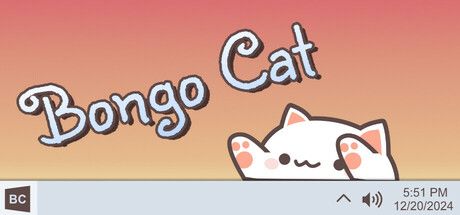
The appeal is easy to understand once you try it. Bongo Cat lives on your screen while you work, study, game or stream, and it responds to every keystroke and click with an enthusiastic little drum. It asks nothing of you, it costs very little, and it makes ordinary computer time feel a bit more cheerful. Developer Irio has turned a meme into a charming, low-key experience.
Gameplay Mechanics
Calling Bongo Cat a game is generous, and that is part of its charm. It is an idle desktop buddy. Once launched, the cat sits on your screen and taps its paws in time with your typing and clicking. The more you use your computer, the more it bongs, and that activity slowly earns you progress without any active effort.
Progression comes in the form of cosmetics. As you level up simply by keeping the cat running, you unlock hats, skins and other customization options. Collecting these items gives the experience a gentle sense of reward, and checking in to see what you have earned becomes a small, pleasant habit throughout the day.
Streamers have embraced Bongo Cat thanks to its overlay mode, which places the cat neatly over your screen or broadcast so viewers can watch it react in real time. It is lightweight, unobtrusive and endlessly cute. There are no fail states, no competition and no stress, just a happy cat keeping you company while you get on with whatever you were doing. In a world of demanding live-service games, that simplicity feels refreshing.
How to Play
Getting started takes about a minute. Purchase and install Bongo Cat from Steam, launch it, and the cat will appear on your desktop. From there, simply use your computer as you normally would. Every key you press and every click you make sends the cat into action, and your progress builds automatically in the background.
Before you commit to a long session of Game, clear the onboarding properly. Finish the tutorial or first mission without skipping dialogue that teaches a mechanic, then open settings and lock a stable frame rate. Remap awkward binds early — especially interact, sprint, inventory, and voice-chat push-to-talk if the game loop depends on them.
Your first two hours should prove one core loop, not every system at once. Treat this as the north star: Getting started takes about a minute. Purchase and install Bongo Cat from Steam, launch it, and the cat will appear on your desktop. From there, simply use your computer as you normally would. Every key you press and every click you make sends the cat into action, and your progress builds automatically in the background. Park secondary crafts, cosmetics, and side modes until that loop feels automatic. Most early rage-quits happen because players open five menus before they understand one.
When you stall, change a single variable and retry: loadout, route, difficulty, teammate role, or economy timing. Watch one short clip only for positioning or UI cues, then close it and practice. Screenshot useful maps/menus into a folder so you are not alt-tabbing every death.
End each session with a three-line note — what killed you, what resource you lacked, and the first experiment for next time. That habit turns Game from “too much info” into a climb you can feel week to week, whether you play solo or with friends.
Pros & Cons
- ✅ Peak 188K players
- ✅ Costs pennies
- ✅ Cute overlays
- ❌ Barely a game
- ❌ Meme lifespan
Conclusion
Bongo Cat is barely a game, and its meme-fueled popularity may not last forever, but none of that changes how much joy it delivers for the price. It is cute, lightweight and genuinely uplifting to have on screen.
If you want a cheerful desktop companion or a fun streaming overlay, this is the cheapest joy on Steam. Grab it during a sale for pocket change and let the bongos begin.